
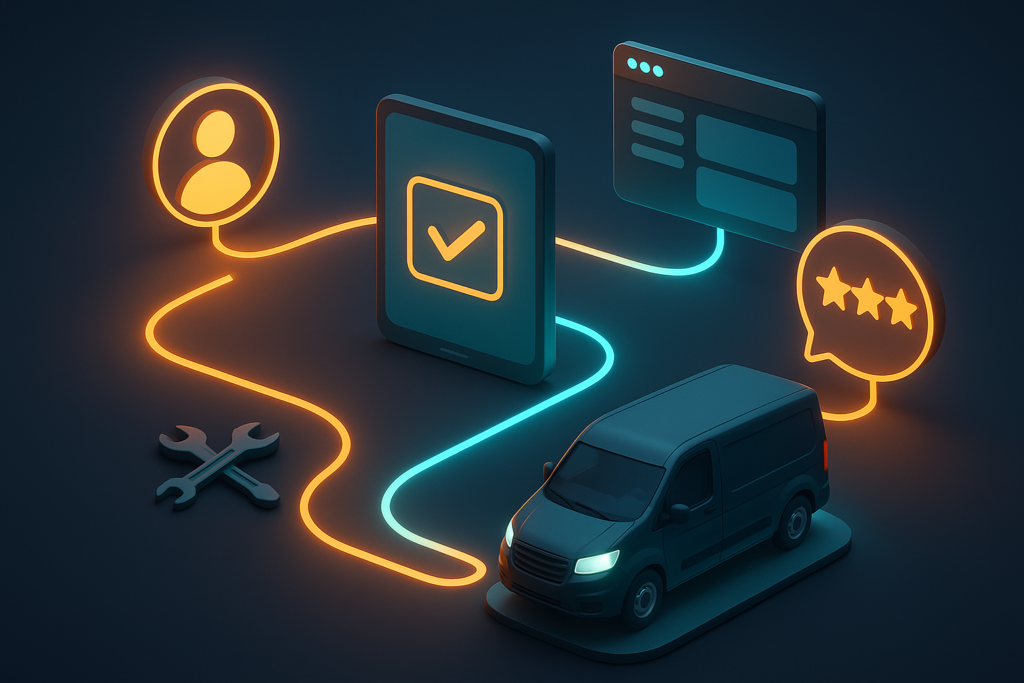
If you run a plumbing, HVAC, electrical, landscaping, or cleaning business, your customer journey has more touchpoints than you think. From the first Google search to the post-service review request, there are 12 to 18 moments where a customer can slip through the cracks, or be impressed enough to call you again and refer three friends. Most home service companies handle these touchpoints manually: sticky notes on the dispatcher’s desk, half-remembered callbacks, and spreadsheets that nobody updates. The result is missed leads, forgotten follow-ups, and reviews that never get requested. Elevated Ideas’ CRM automation handles every single touchpoint systematically, 24 hours a day, 7 days a week, without a single sticky note or forgotten callback.
Lead Capture: Every Source, One System
The customer journey starts the moment someone searches for your service online, sees your truck on the road, or gets a recommendation from a neighbor. Your CRM should capture every single lead from every source automatically and immediately: no manual data entry, no leads slipping into a personal email inbox that gets checked once a day, and no reliance on a technician remembering to write down a phone number.
The average home service company loses 15 to 25 percent of its leads before anyone even attempts to follow up. Calls go to voicemail during busy hours. Contact form submissions sit in an email inbox for hours. Facebook messages get buried under notifications. Every lost lead represents $200 to $2,000 in potential revenue depending on the service. A properly configured CRM eliminates these leaks entirely.
- Website forms: Every form submission on your WordPress website (contact forms, quote request forms, booking widgets) automatically creates a CRM contact record with full source tracking, UTM parameters, and the page they submitted from. No manual entry required.
- Phone call tracking: Dedicated tracking numbers for each marketing channel (one for Google Ads, one for your website, one for your truck wrap) route calls to your CRM so every call is logged with caller ID, call duration, recording, and source attribution. You know exactly which marketing channel generated each call.
- Google Ads integration: UTM parameters on every ad automatically tag each lead with the campaign, ad group, keyword, and ad variation that generated them. This data flows directly into your CRM pipeline so you can calculate exact cost-per-lead and ROI by campaign.
- Facebook and Instagram leads: Lead form ads on social media sync directly to your CRM pipeline through native integrations or webhooks. The lead appears in your system within seconds of form submission, not hours later when someone manually exports a CSV.
- AI chatbot conversations: Your website chatbot captures the visitor’s name, phone number, service needed, urgency level, and preferred appointment time before creating a CRM contact and triggering the appropriate follow-up sequence.
- Referral tracking: Unique referral links or codes for each existing customer let you track exactly which customers are sending you new business. This data feeds your referral reward program and helps you identify your most valuable promoters.
- Manual entry fallback: Walk-in inquiries, networking leads, and phone calls that bypass tracking numbers can be added via a mobile CRM app in under 30 seconds, ensuring even offline leads enter the system immediately.
“If a lead contacts you and does not appear in your CRM within 60 seconds, your system has a leak. Every leak costs you money, and in home services, the average leaked lead costs $500 to $1,500 in lost lifetime revenue.”
Instant Response: The First 5 Minutes
Home service leads are urgent by nature. When someone’s AC breaks in the middle of July, when a pipe bursts at midnight, or when a family notices termites the week before closing on their house, they are not browsing. They are desperate. Research from Lead Connect shows that responding within 5 minutes makes you 21 times more likely to qualify a lead compared to responding in 30 minutes. After 30 minutes, your chances of converting that lead drop by over 90 percent because they have already called the next company on the list.
CRM automation makes sub-60-second response times possible even when your team is on a job site, eating lunch, or sleeping. The system responds instantly while queuing the human follow-up for the right team member at the right time. Customers feel heard immediately, and your team responds when they are actually available rather than frantically racing to answer every inquiry in real-time.
- Automated text within 60 seconds: “Hi [Name], this is [Company]. We received your request for [service]. A team member will call you within 15 minutes. Is this the best number to reach you?” This acknowledgment alone prevents 30 to 40 percent of leads from calling your competitor while waiting.
- Automated email confirmation: A professionally formatted email with your company logo, service area map, licensing information, and clear next steps lands in their inbox within minutes. It positions you as organized and professional before you even speak to them.
- Internal team notification: The on-call technician or dispatcher receives an instant text and app notification with the lead’s name, phone number, service requested, urgency level, and source. They have all the context they need to make a warm, informed callback.
- After-hours handling: Leads that arrive outside business hours receive an immediate automated response acknowledging their request, setting expectations for a morning callback, and offering self-service booking if your calendar allows it. The customer knows they were heard even at 11 PM on a Saturday.
- Speed-to-lead tracking: Your CRM dashboard tracks average response time by team member, by day of week, and by lead source. This metric should be reviewed weekly. Teams that track response time improve it by 40 to 60 percent within the first month.
- Missed call text-back: When a call goes to voicemail (even with the best systems, some will), the CRM automatically sends a text within 30 seconds: “Sorry we missed your call. A team member will call you back within 15 minutes. Can you tell us briefly what you need?” This recovers 25 to 35 percent of missed call leads.
Estimate Follow-Up and Scheduling
After initial contact, the customer enters the estimate and scheduling phase. This is where most home service companies hemorrhage revenue because follow-up is manual, inconsistent, and easily forgotten during busy periods. A technician sends an estimate, gets pulled onto an emergency call, and forgets to follow up. Three days later, the customer has hired someone else.
CRM automation ensures that every estimate receives systematic follow-up on a predetermined schedule, every appointment gets confirmed and reminded, and every no-response gets escalated before the opportunity expires. The automation runs independently of how busy your team is, which is critical because lead follow-up is most likely to be neglected precisely when you are busiest.
- Estimate follow-up at 48 hours: If you sent an estimate and have not received a response within 48 hours, an automated text fires: “Hi [Name], just checking in on the estimate we sent for [service]. Any questions I can answer?” This casual, non-pushy follow-up converts 15 to 20 percent of stalled estimates.
- Estimate reminder at Day 5: “Hi [Name], your estimate for [service] is still valid for 7 more days. Would you like to get this scheduled? We have availability this week.” Adding availability information creates urgency without being aggressive.
- Final follow-up at Day 10: “Hi [Name], I wanted to reach out one more time about your [service] estimate. If you have any questions or if pricing is a concern, I am happy to discuss options. Just reply to this text.” This last-chance message recovers another 5 to 10 percent of otherwise-lost estimates.
- Online booking integration: Embed a scheduling widget on your website that syncs with technician availability in real-time through your CRM. Customers who can self-schedule book 30 to 40 percent faster than those who need to call during business hours.
- Appointment confirmation: Automated text plus email confirmation with date, time window, technician name, what the customer should prepare (clear the area, secure pets, etc.), and a link to reschedule if needed.
- Day-before reminder: “Reminder: [Technician] will arrive tomorrow between [time window] for your [service]. Reply C to confirm or R to reschedule.” Appointment reminders reduce no-shows and locked doors by 40 to 50 percent.
- Day-of ETA notification: “Your technician is approximately 30 minutes away.” This real-time update reduces no-answers by 25 percent and dramatically improves customer satisfaction scores because the customer is not sitting around wondering when someone will show up.
“The average home service estimate has a 40 to 60 percent close rate. Without systematic follow-up, that drops to 20 to 30 percent. CRM automation closes the gap by ensuring no estimate goes unfollowed.”
Post-Service Automation
The job is complete. The technician packs up and drives to the next appointment. For most home service companies, this is where the customer relationship effectively ends until the customer needs service again, if they remember to call you instead of someone else. This is a massive missed opportunity because the 48 hours after a completed service call represent the highest-engagement window in the entire customer lifecycle.
The customer is satisfied with the work (hopefully), the experience is fresh in their mind, and they are most receptive to leaving a review, making a referral, or booking a maintenance plan. CRM automation captures this window systematically for every single completed job, not just the ones your team remembers to follow up on.
- Thank you text within 1 hour: “Thanks for choosing [Company], [Name]! How was your experience today? Reply with any feedback. We read every response.” This personal touch generates valuable feedback and catches any issues before they become negative reviews.
- Google review request at Day 2: “Hi [Name], would you mind leaving us a quick Google review? It helps local families find trusted [service type] in [area]. Here is your direct link: [review URL].” The direct link bypasses the Google search and takes them straight to the review form, reducing friction by 80 percent.
- Review follow-up at Day 5: If no review has been posted, a gentle email reminder with the same link and a note: “It only takes 30 seconds and it really helps our small business.” This second touchpoint captures an additional 8 to 12 percent of reviews beyond the initial request.
- Invoice and receipt automation: Automated email with a professional PDF invoice, payment confirmation, warranty information, and your contact details for future service needs. This replaces handwritten invoices and ensures every customer has a clean record of the work performed.
- Maintenance reminder setup: The CRM tags the customer with their service type and date, automatically scheduling seasonal or annual reminders based on the work performed. An AC installation in June triggers a tune-up reminder the following March.
- Referral request at Day 14: “Know someone who needs [service]? We offer $50 off your next service for every referral. Share your personal link: [referral URL].” Timing this 2 weeks after service gives the customer enough time to see the quality of the work while the experience is still fresh enough to recommend.
Repeat Business and Seasonal Campaigns
The most profitable customer is a repeat customer. Acquiring a new customer costs 5 to 7 times more than retaining an existing one, and repeat customers spend 67 percent more on average than first-time customers. Yet most home service companies have zero systematic outreach to past customers. They wait for the customer to call when something breaks again, competing against every other company the customer finds on Google.
CRM automation turns your past customer database into a proactive revenue engine that generates repeat business automatically through seasonal campaigns, service anniversaries, maintenance reminders, and targeted promotions. Every past customer is a warm lead who already knows and trusts your company. You just need to remind them you exist before they need service.
- HVAC seasonal campaigns: Spring AC tune-up email and text campaign launches in March, 4 to 6 weeks before peak cooling season. Furnace inspection campaign launches in September before heating season. These predictable campaigns fill your schedule during traditionally slow transition periods.
- Plumbing winterization: October campaign to past plumbing customers offering pipe insulation, water heater maintenance, and outdoor faucet winterization. This prevents emergency calls (which strain your team) and generates scheduled revenue during a quieter period.
- Landscaping spring cleanup: February email campaign to existing customers with early-bird pricing for spring cleanup, mulching, and garden bed prep. Early-bird offers typically convert 20 to 30 percent higher than regular-season pricing because customers feel they are getting a deal.
- Service anniversary reminders: “It has been one year since your [service]. Time for a maintenance check? Book now and receive 10 percent off.” Anniversary reminders are the single most effective repeat business automation with conversion rates of 8 to 15 percent.
- Holiday and seasonal campaigns: Thanksgiving “be thankful for a working furnace” campaign, spring “home refresh” campaign, back-to-school “get your house in order” campaign. Seasonal themes give you a natural reason to reach out without feeling salesy.
- VIP customer identification: Your CRM automatically tags customers who have spent over a certain dollar threshold or booked 3 or more services. VIP customers receive priority scheduling, exclusive offers, and personal check-in calls from the owner. This small investment in your best customers yields disproportionate referral and repeat revenue.
- Reactivation campaigns: Customers who have not booked a service in 18 or more months receive a targeted win-back campaign with a special offer. These dormant customers already know your brand. Reactivation campaigns convert at 5 to 12 percent, which is significantly cheaper than acquiring a brand-new customer.
Numbers to Track in Your CRM
CRM automation without measurement is just activity. The real power of a CRM is the data it collects and the insights that data provides about your business performance. A well-configured CRM dashboard tells you exactly where your marketing dollars are working, where leads are falling through the cracks, and which parts of your customer journey need improvement.
Review these metrics weekly as a team. Post the dashboard on a screen in your office so everyone can see the numbers. Home service companies that track and review CRM metrics weekly grow revenue 25 to 40 percent faster than those that check their numbers monthly or not at all, because problems get caught and corrected before they compound.
- Lead response time: Average time from lead inquiry to first human contact. Target: under 5 minutes for automated response, under 15 minutes for human callback. Track by team member to identify who is fast and who needs coaching.
- Estimate-to-close rate: What percentage of estimates convert to booked and completed jobs? Industry average is 40 to 60 percent. Below 40 percent means your follow-up sequence, pricing, or presentation needs work. Above 60 percent means you may be underpricing.
- Google review generation rate: What percentage of completed jobs result in a Google review? Target: 15 to 25 percent with automated review requests. Below 10 percent means your timing, messaging, or review link friction needs optimization.
- Customer lifetime value: Total revenue per customer over their entire relationship with your company. Track this by service type to identify your most valuable customer segments. Repeat customers cost 5 to 7 times less to acquire than new ones.
- No-show and locked-door rate: What percentage of booked appointments result in no-shows or locked doors? With automated confirmation and reminder sequences, this should stay below 5 percent. Above 8 percent indicates your reminder timing or frequency needs adjustment.
- Referral rate: What percentage of new customers come from referrals versus paid acquisition? A healthy referral rate is 15 to 25 percent of new business. If your referral rate is below 10 percent, your referral request automation needs improvement.
- Cost per lead by channel: How much does each lead cost from Google Ads, Facebook, organic search, referrals, and direct? This tells you exactly where to invest more marketing budget and where to cut spending. Most home service companies discover that one or two channels produce 80 percent of their leads at the best cost.
“You cannot improve what you do not measure. Home service companies that track their CRM metrics weekly grow 25 to 40 percent faster because they catch problems before they compound into lost revenue.”
Getting Started with CRM Automation
Implementing CRM automation for a home service company does not happen overnight, and it should not. A phased rollout ensures each automation is tested, refined, and producing results before adding the next layer. Companies that try to automate everything at once end up with a system that nobody on the team understands or trusts, which defeats the purpose entirely.
The implementation timeline below follows the sequence that produces the fastest ROI. Lead capture and instant response deliver immediate value because they prevent lead loss starting on Day 1. Estimate follow-up and appointment reminders layer on within the first two weeks. Post-service automation and seasonal campaigns come last because they require a foundation of customer data and tested messaging to be effective.
- Week 1: Lead capture setup. Connect all lead sources (website forms, phone tracking, Facebook, Google Ads) to your CRM. Test every source to verify leads appear correctly with full source attribution. Fix any integration issues before moving forward.
- Week 1-2: Instant response automation. Build and activate your automated text and email response sequences for new leads. Test with your own phone number to verify timing, personalization, and message formatting. Activate internal notifications for your team.
- Week 2-3: Estimate follow-up and scheduling. Create the 48-hour, Day 5, and Day 10 follow-up sequences for open estimates. Set up appointment confirmation and reminder automations. Integrate your scheduling tool with the CRM calendar.
- Week 3-4: Post-service automation. Build the thank-you, review request, and referral request sequences. Create your Google review direct link and test the full post-service flow from job completion through referral request.
- Month 2: Seasonal and repeat business campaigns. With a foundation of customer data building in the CRM, create your seasonal campaign templates, service anniversary reminders, and VIP customer identification rules.
- Month 3: Optimization and reporting. Review performance data from the first 60 days. Adjust message timing, content, and frequency based on response rates. Build your weekly reporting dashboard with the key metrics listed above.
The Financial Case for CRM Automation
Home service business owners rightfully want to know the return on investment before committing to CRM automation. The numbers are compelling because the ROI comes from multiple sources simultaneously: recovering lost leads, improving estimate close rates, generating more reviews, and creating repeat business from existing customers. Each source compounds the others.
Consider a typical home service company doing $50,000 per month in revenue with a 3-person team. They receive approximately 200 leads per month, close 40 percent of estimates, and have almost no systematic follow-up or review generation. Here is what CRM automation typically adds to their bottom line within the first 90 days of implementation.
- Recovered leads: Instant response automation and missed call text-back recover 15 to 25 percent of leads that previously went unanswered. At 200 leads per month with an average job value of $500, recovering even 10 percent of lost leads adds $10,000 per month in revenue.
- Improved close rate: Systematic estimate follow-up increases close rates from 40 percent to 55 to 65 percent. On 80 estimates per month at $500 average, improving close rate by 15 percentage points adds $6,000 per month.
- Review generation: Automated review requests generate 3 to 5 times more Google reviews than manual asking. More reviews improve local SEO rankings, which drives more organic leads at zero additional ad spend.
- Repeat business: Seasonal campaigns and service anniversary reminders generate 10 to 20 percent additional revenue from existing customers who would not have called otherwise. On a $50,000 per month business, that is $5,000 to $10,000 per month in incremental revenue.
- Time savings: CRM automation saves 15 to 25 hours per week of manual communication work. At a loaded cost of $25 per hour for office staff, that is $1,500 to $2,500 per month in labor savings or capacity that can be redirected to higher-value activities.
- Total monthly impact: Conservative estimate of $15,000 to $25,000 in additional monthly revenue plus $1,500 to $2,500 in labor savings, against a CRM platform and management cost of $500 to $1,500 per month. The ROI is typically 10 to 20 times the investment.
Free tool: Tag every link with our free UTM builder.
Ready to Automate Your Customer Journey?
Elevated Ideas builds CRM automation systems specifically designed for home service companies, from lead capture to repeat business, fully automated and customized to your service types, team structure, and growth goals.
No phone call needed for the marketing report. Delivered straight to your inbox.
COMMON QUESTIONS
Home Service CRM FAQ
What CRM is best for home service companies?
The best CRM for home service companies includes built-in SMS and email automation, visual pipeline management, appointment scheduling with calendar sync, automated review requests, call tracking, and reporting dashboards. Elevated Ideas’ CRM is specifically configured for the home service industry with pre-built workflows tailored to plumbing, HVAC, electrical, landscaping, and cleaning businesses. The platform replaces 4 to 6 separate tools with one unified system.
How much time does CRM automation save home service businesses?
On average, 15 to 25 hours per week. Automated instant responses, estimate follow-ups, appointment confirmations and reminders, review requests, and seasonal campaigns eliminate the manual communication that dispatchers and office staff currently handle through phone calls, texts, and sticky notes. That reclaimed time redirects to booking more jobs, improving service quality, and growing the business.
Will customers know the messages are automated?
Not if the automation is configured correctly. Messages use the customer’s first name, reference their specific service type, come from your actual business phone number, and are written in a conversational tone that matches how your team naturally communicates. The timing is also natural. A thank-you text one hour after service feels personal, not automated. The key is personalization and timing that feels like a well-organized team, not a robot.
How do automated review requests work?
Two days after a completed service, your CRM sends a text message with a direct link to your Google Business Profile review page. The direct link bypasses the Google search entirely, taking the customer straight to the review form in one tap. If no review is posted within 72 hours, a follow-up email is sent with the same link. This two-touch sequence generates review response rates of 15 to 25 percent compared to 2 to 5 percent without any automation.
Can CRM automation handle emergency service requests?
Absolutely. Emergency leads are tagged with urgency flags based on keywords in their inquiry (“emergency,” “urgent,” “flooding,” “no heat”) that trigger immediate notifications to on-call technicians instead of following the standard response sequence. The CRM routes after-hours emergency calls differently than standard business-hours inquiries, ensuring the right team member is notified within seconds regardless of the time of day.
How quickly can a home service CRM be set up?
A fully configured CRM with all automation workflows typically takes 3 to 4 weeks to set up, test, and launch. This includes lead source integrations, pipeline stages, SMS and email sequences for every stage of the customer journey, appointment scheduling, review automation, seasonal campaign templates, and team training. Elevated Ideas handles the entire setup, provides training for your team, and offers ongoing optimization and support.
What is the ROI of CRM automation for home service companies?
Most home service companies see a 10 to 20 times return on their CRM investment within the first 90 days. The ROI comes from recovered leads that previously went unanswered, improved estimate close rates from systematic follow-up, increased repeat business from seasonal campaigns, and time savings of 15 to 25 hours per week. A typical company doing $50,000 per month in revenue adds $15,000 to $25,000 in monthly revenue through CRM automation.
Do I need to change my existing phone number or systems?
No. Your existing business phone number can be ported into the CRM or forwarded to a tracking number that integrates with the system. Your existing website forms can be connected through webhooks or native integrations. The CRM works alongside your current tools initially and can gradually replace redundant systems as your team gets comfortable with the platform.
Written by Ryan Mason, Founder of Elevated Ideas: WordPress web design, CRM automation, and AI-powered marketing. Last updated 2026.