
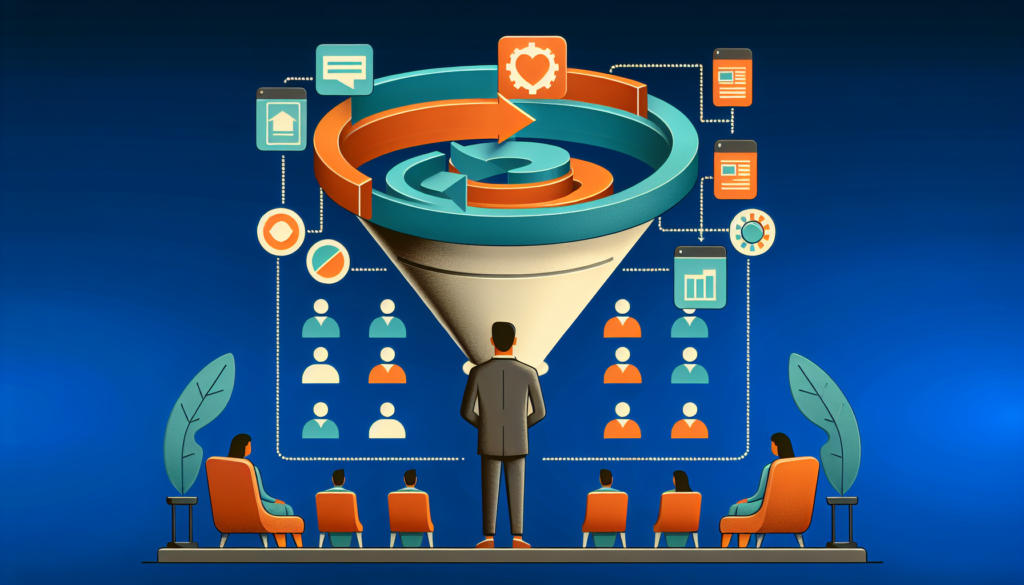
Every customer in your database is different, so why would you send all of them the same message? CRM segmentation is the practice of dividing your contacts into meaningful groups based on behavior, demographics, purchase history, and engagement patterns — and then crafting targeted messages that speak directly to each group’s needs and motivations. Businesses that implement proper segmentation see 14-30% higher open rates, 50-100% higher click-through rates, and up to 760% more revenue from their email campaigns compared to one-size-fits-all blasts. This guide walks you through the exact segmentation strategies that Elevated Ideas’ CRM uses to help businesses send the right message to the right person at the right time.
Why CRM Segmentation Matters
Most small businesses have a single email list and send the same newsletter to everyone. That approach is leaving revenue on the table every single month. CRM segmentation transforms your contact database from a static list into a dynamic marketing engine that understands where each customer stands in their journey and communicates accordingly. When you segment properly, your unsubscribe rates drop because people only receive content that is relevant to them, your conversion rates climb because offers match where the customer actually is in the buying cycle, and your customer lifetime value increases because you build genuine relationships instead of broadcasting noise.
- 14% higher open rates — Segmented email campaigns average 14.31% higher open rates compared to non-segmented campaigns, according to Mailchimp benchmarks across billions of sends
- 100% higher click-through rates — When your message matches the recipient’s interests and stage, they are twice as likely to click through to your offer or content
- 760% revenue increase — Campaign Monitor found that marketers who use segmented campaigns see up to a 760% increase in revenue from those campaigns alone
- Lower unsubscribe rates — Sending relevant content reduces opt-outs by 28% because people feel like you understand them rather than spamming them
- Better sender reputation — Higher engagement signals to email providers (Gmail, Outlook) that your emails are wanted, which improves deliverability across all campaigns
- Customer trust — Personalized, relevant communication builds the kind of trust that turns one-time buyers into long-term advocates for your business
“Segmentation is not about sending more emails. It is about sending fewer, better emails that each recipient actually wants to open.”
Demographic Segmentation
Demographic segmentation groups contacts by who they are rather than what they have done. It is the simplest starting point and gives you immediate personalization power. Within Elevated Ideas’ CRM, you can tag contacts automatically based on form submissions, import data, or manual entry. Demographic segments work best when combined with behavioral data, but even on their own they allow you to speak more specifically to different audiences within your customer base.
- Geographic location — Segment by city, state, zip code, or region. A roofing company can send storm-related offers to customers in areas that just experienced severe weather while sending maintenance reminders to everyone else. Location-based segments are especially powerful for local businesses serving multiple service areas.
- Industry or business type — B2B companies should segment contacts by their industry. A marketing agency’s message to a restaurant owner is completely different from its message to a law firm even if both need the same core service.
- Company size or revenue — Enterprise clients need different solutions and pricing conversations than solopreneurs. Segment accordingly to avoid pitching a $500/month retainer to a Fortune 500 company or a $10,000 package to a startup with no budget.
- Job title or decision-maker status — The owner or CEO responds to ROI and bottom-line messaging. The marketing manager responds to features, efficiency, and making their job easier. Tailor your language to who is reading.
- Age or generation — For B2C businesses, generational preferences affect channel preference (Gen Z prefers text, Boomers prefer email), content style, and even which offers resonate most effectively.
- Source of acquisition — A lead from Google Ads has different intent and awareness than a referral from an existing customer. Segment by how they found you to match your follow-up tone and urgency level.
“Demographics tell you who someone is. Behavior tells you what they want. The best segmentation uses both together.”
Behavioral Segmentation
Behavioral segmentation is where the real marketing magic happens. Instead of grouping people by who they are, you group them by what they have actually done — pages visited, emails opened, links clicked, purchases made, and forms submitted. Behavioral data reveals intent and interest in ways that demographic data simply cannot. Elevated Ideas’ CRM tracks these interactions automatically and lets you build segments that update in real time as contacts take actions across your website, emails, and automations.
- Website activity tracking — Tag contacts who visit specific pages on your site. Someone who visits your pricing page three times in a week is a hot prospect. Someone browsing blog content is in research mode. Create segments for high-intent pages like pricing, contact, and service pages versus informational pages like blogs and resources.
- Email engagement patterns — Segment contacts by their email behavior: highly engaged (opens and clicks every email), moderately engaged (opens occasionally), and disengaged (has not opened in 60+ days). Each group gets a different communication strategy.
- Purchase history — First-time buyers get onboarding and cross-sell sequences. Repeat buyers get loyalty rewards and VIP access. High-value customers get personal outreach and exclusive offers. Lapsed buyers get win-back campaigns with compelling incentives.
- Form submissions and downloads — What a contact downloads or requests tells you exactly what they need. A business that downloads your “SEO Checklist” is interested in different services than one that downloads your “Social Media Calendar Template.”
- Event attendance — Contacts who attend webinars, workshops, or consultations are demonstrating active interest and should receive different follow-up than those who registered but did not attend.
- Engagement recency — How recently someone interacted with your brand is a critical signal. A contact who clicked a link yesterday is warmer than one who last engaged three months ago, even if both have the same demographic profile.
“The best predictor of future behavior is past behavior. Track everything, segment on what matters, and your marketing practically writes itself.”
Lead Scoring and Pipeline Segmentation
Lead scoring assigns numerical values to contacts based on their attributes and actions, automatically ranking them from cold to hot. This transforms subjective gut feelings about lead quality into objective, data-driven decisions about who deserves your attention and resources. In Elevated Ideas’ CRM, lead scoring happens automatically — every page visit, email click, form submission, and interaction adds points to a contact’s score, giving your sales team a clear priority list of who to call first and what to say when they do.
- Scoring model design — Assign points based on value: opening an email might be +2 points, clicking a link +5, visiting a pricing page +10, requesting a quote +25, and attending a consultation +50. Negative scoring matters too: unsubscribing is -20, not opening emails for 30 days is -10.
- Hot prospect segment (75+ points) — These contacts are ready to buy. They should receive direct sales outreach within 24 hours, personal emails from a salesperson (not automated campaigns), and phone calls. Speed matters — leads contacted within 5 minutes are 21x more likely to convert.
- Warm prospect segment (40-74 points) — These contacts are interested but not ready. They should receive case studies, testimonials, comparison guides, and soft CTAs that build confidence without being pushy. Nurture them toward the hot threshold.
- Cold prospect segment (1-39 points) — These are early-stage contacts who need education. Send helpful blog content, industry insights, and thought leadership that positions your business as the authority. The goal is awareness and trust, not sales.
- Pipeline stage segments — Beyond scoring, segment by where contacts sit in your sales pipeline: new lead, qualified lead, proposal sent, negotiation, and closed-won or closed-lost. Each stage requires different communication cadence and messaging.
- Automated routing — When a contact crosses a scoring threshold or enters a new pipeline stage, Elevated Ideas’ CRM automatically triggers the appropriate workflow — assigning tasks, sending emails, or alerting your sales team without any manual intervention.
“Lead scoring removes the guesswork from sales. Your team stops wasting time on cold leads and starts closing deals with people who are actually ready to buy.”
The 6 Essential Segments Every Business Needs
While every business has unique segmentation needs, these six segments deliver the highest ROI for virtually every company using a CRM. Build these first, then expand into more granular segments as your data grows and your understanding of customer behavior deepens.
- New leads (0-7 days old) — Brand new contacts who just entered your system. They need a welcome sequence that introduces your brand, delivers on whatever they opted in for, and sets expectations for future communication. Speed and value are everything in this segment.
- Hot prospects (high engagement, no purchase) — Contacts showing strong buying signals — multiple website visits, email clicks, pricing page views — but have not yet converted. They need a nudge: case studies, limited-time offers, or direct outreach from your team.
- Active customers (purchased in last 90 days) — Your current customers who have recently bought. They need onboarding, check-ins, cross-sell and upsell offers, and review requests. Happy active customers are your best source of referrals and testimonials.
- VIP customers (top 20% by lifetime value) — Your most valuable clients deserve VIP treatment: personal communication, exclusive offers, early access to new services, and loyalty rewards. Losing one VIP customer costs more than losing ten average ones.
- At-risk customers (declining engagement) — Customers whose engagement is dropping — fewer email opens, no recent purchases, reduced website visits. They need re-engagement campaigns with compelling offers, satisfaction surveys, or personal outreach before they churn entirely.
- Dormant contacts (no engagement in 90+ days) — Contacts who have gone completely silent. Send a win-back sequence with a strong incentive. If they still do not engage after 2-3 attempts, consider moving them to an inactive list to protect your sender reputation and focus resources on contacts who are responsive.
“These six segments alone will outperform any single-list email strategy. Start here, measure the results, and then build more specific segments as your business grows.”
Setting Up Segments in Elevated Ideas’ CRM
Implementing CRM segmentation is not just about creating groups — it is about building an intelligent system that updates automatically as contacts interact with your business. The goal is set-it-and-forget-it segmentation that runs in the background while you focus on running your business. Here is the step-by-step process for building a segmentation engine that works on autopilot inside Elevated Ideas’ CRM platform.
- Step 1: Audit your data — Before creating segments, clean your contact database. Remove duplicates, fix formatting inconsistencies (state abbreviations, phone number formats), and fill in missing fields where possible. Segmentation is only as good as the data it runs on.
- Step 2: Define your tags — Create a tagging taxonomy that covers your key segments. Use naming conventions like “interest:seo,” “source:google-ads,” “status:vip,” and “behavior:pricing-page” so tags are organized and searchable as your list grows.
- Step 3: Set up automation triggers — Configure your CRM to automatically apply tags when contacts take specific actions: visiting key pages, clicking email links, making purchases, filling out forms, or reaching lead score thresholds. This ensures segmentation happens without manual effort.
- Step 4: Build your workflows — Create email sequences and automation workflows for each segment. A new lead workflow might include 5 emails over 14 days. A VIP re-engagement workflow might include 3 personal-feeling emails over 7 days with an exclusive offer.
- Step 5: Create dynamic lists — Use smart lists that update automatically based on tag combinations, lead scores, and activity thresholds. A “hot prospects” list that includes contacts with 75+ lead scores and a pricing page visit in the last 7 days updates in real time.
- Step 6: Test and iterate — Launch your segments with A/B tests comparing segmented campaigns to your previous one-size-fits-all approach. Track open rates, click rates, conversion rates, and revenue per email. Refine segment criteria based on performance data every 30 days.
“The businesses that win at email marketing are not the ones who send the most emails. They are the ones who send the most relevant emails. Segmentation is how you get there.”
Advanced Segmentation Strategies
Once you have mastered the basics, advanced segmentation techniques multiply your results even further. These strategies require more data and more sophisticated automation, but they deliver outsized returns for businesses willing to invest in them. Each of these techniques can be implemented inside Elevated Ideas’ CRM with the right workflow configuration and tracking setup.
- RFM analysis (Recency, Frequency, Monetary) — Score customers on three dimensions: how recently they purchased, how frequently they purchase, and how much they spend. A customer who bought yesterday, buys monthly, and spends $500 per order is your most valuable segment and deserves different treatment than someone who bought once six months ago for $25.
- Predictive churn modeling — Use engagement decline patterns to identify customers likely to leave before they actually do. If a monthly buyer skips a month, or an active email reader stops opening for two weeks, trigger a proactive retention campaign. Preventing churn is 5-25x cheaper than acquiring new customers.
- Lifecycle stage automation — Map your entire customer lifecycle (awareness, consideration, decision, onboarding, retention, advocacy) and create dedicated segments and automations for each stage. As contacts progress through stages, their messaging evolves automatically without any manual intervention from your team.
- Cross-channel behavioral segments — Combine email, website, social media, and SMS engagement data into unified behavioral profiles. A contact who opens emails but never clicks might respond better to SMS. A contact who engages on social but ignores email might need a different channel strategy entirely.
- Seasonal and event-based segments — Create segments based on time-sensitive triggers: customers who bought last Black Friday, contacts with upcoming birthdays or anniversaries, businesses approaching their contract renewal date, or leads who entered your funnel during a specific promotion.
- Lookalike modeling — Analyze the attributes and behaviors of your best customers, then find contacts in your database who share similar profiles but have not yet purchased. These lookalike segments are your highest-probability conversion targets and should receive your strongest offers and most compelling case studies.
“Advanced segmentation is the difference between a business that sends emails and a business that builds relationships at scale. The data is already in your CRM — you just need to use it.”
Ready to Segment Smarter and Sell More?
Elevated Ideas builds CRM segmentation systems that turn your contact list into a revenue engine — with automated tagging, lead scoring, and targeted campaigns that convert.
No phone call needed for the marketing report. Delivered straight to your inbox.
COMMON QUESTIONS
CRM Segmentation FAQ
What is CRM segmentation and why does it matter for small businesses?
CRM segmentation is the practice of dividing your contact database into smaller, targeted groups based on shared characteristics like demographics, behavior, purchase history, or engagement level. It matters because segmented marketing campaigns generate up to 760% more revenue than non-segmented blasts. Instead of sending one generic message to everyone, you send tailored messages that resonate with each group’s specific needs and interests, dramatically improving open rates, click rates, and conversions.
How many segments should I start with?
Start with 4-6 core segments: new leads, hot prospects, active customers, VIP customers, at-risk customers, and dormant contacts. These six segments cover the most important stages of the customer journey and deliver the biggest immediate impact. Once you see results from these foundational segments, expand into more granular segments based on specific behaviors, interests, or demographics.
How does lead scoring work inside a CRM?
Lead scoring assigns numerical point values to contacts based on their actions and attributes. For example, opening an email earns 2 points, clicking a link earns 5 points, visiting your pricing page earns 10 points, and requesting a consultation earns 25 points. As contacts accumulate points, they automatically move between segments — from cold to warm to hot — ensuring your sales team focuses on the most engaged, highest-probability leads.
Can I automate CRM segmentation or do I have to do it manually?
With Elevated Ideas’ CRM, segmentation is fully automated. Tags are applied automatically when contacts take specific actions (visiting pages, clicking emails, making purchases), lead scores update in real time, and dynamic lists refresh instantly. Once configured, the system runs in the background 24/7 without any manual effort from you or your team.
How often should I review and update my segments?
Review segment performance monthly and update criteria quarterly. Look at open rates, click rates, conversion rates, and revenue per segment. If a segment is underperforming, refine the criteria or adjust the messaging. Markets change, customer behavior evolves, and your segmentation strategy should adapt accordingly to stay effective.
What is the difference between tags and segments in a CRM?
Tags are labels applied to individual contacts (like “interested-in-seo” or “source-google-ads”). Segments are dynamic groups built from tag combinations, lead scores, and activity data. Think of tags as ingredients and segments as recipes. A single contact might have 10+ tags, and those tags determine which segments they belong to. When you add or remove a tag, the contact automatically moves in or out of the appropriate segments.
How does segmentation improve email deliverability?
When you send segmented emails, recipients are more likely to open, read, and click because the content is relevant to them. Higher engagement signals to email providers (Gmail, Outlook, Yahoo) that your emails are wanted and valuable, which improves your sender reputation. A better sender reputation means more of your emails land in the inbox instead of the spam folder, creating a positive feedback loop that benefits all of your email marketing.
Does Elevated Ideas help set up CRM segmentation for clients?
Yes. Elevated Ideas provides full CRM segmentation setup as part of our CRM automation services. We audit your existing contact data, design a tagging taxonomy, configure automated triggers and workflows, build lead scoring models, create dynamic segments, and train your team on how to use the system. The goal is a set-it-and-forget-it segmentation engine that runs on autopilot while you focus on running your business.
Written by Ryan Mason, Founder of Elevated Ideas — WordPress web design, CRM automation, and AI-powered marketing. Last updated 2026.