
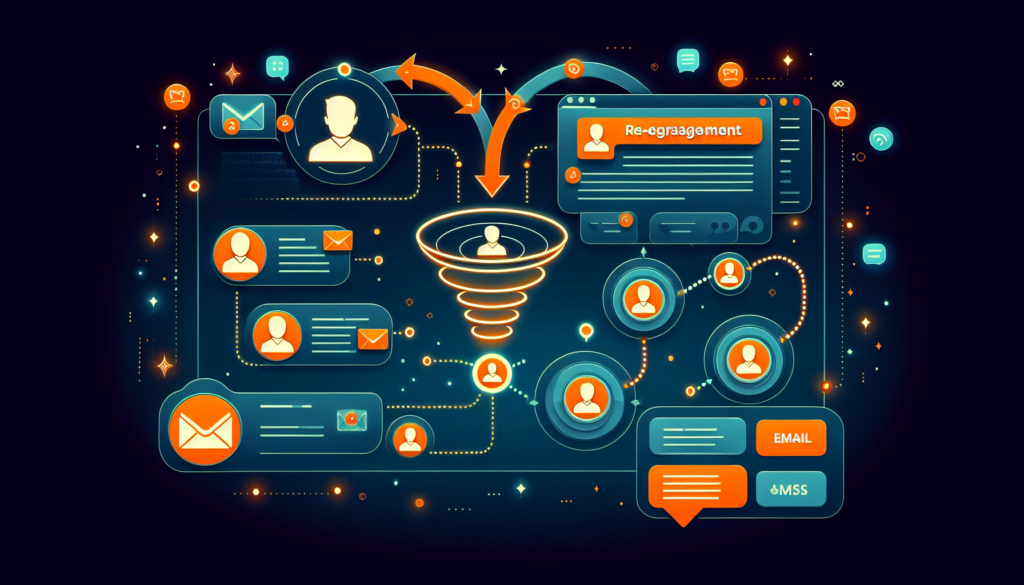
You already paid to acquire them. They already trusted your brand enough to buy once. And now they’re gone — sitting silently in your CRM, collecting digital dust. Here’s the uncomfortable truth: acquiring a new customer costs 5 to 25 times more than retaining an existing one, according to Harvard Business Review. Yet most businesses pour nearly all their marketing budget into chasing new leads while ignoring the goldmine of lapsed customers already in their database.
The good news? A well-executed CRM re-engagement campaign can bring 10–30% of those inactive customers back into your revenue pipeline — at a fraction of the cost of acquiring someone brand new. This playbook gives you the exact framework: how to identify who’s gone cold, what messages to send and when, and how to automate the entire sequence so it runs on autopilot while you focus on growing your business.
Why Lost Customers Are Your Biggest Untapped Revenue Source
Before we dive into the tactical playbook, let’s look at why re-engagement isn’t just a “nice to have” — it’s one of the highest-ROI activities in your entire marketing strategy.
The Economics of Re-Engagement vs. New Acquisition
- Retention is cheaper: Bain & Company research shows that increasing customer retention by just 5% can boost profits by 25–95%
- Past buyers convert faster: A previous customer is 60–70% more likely to purchase again compared to a 5–20% likelihood for a new prospect (Marketing Metrics)
- Lower cost per conversion: Re-engagement campaigns typically cost $1–3 per reactivated customer vs. $50–200+ for new customer acquisition depending on industry
- Higher lifetime value: Reactivated customers who return after a win-back campaign spend an average of 40% more in the following 12 months compared to their pre-lapse period
The math is clear: every customer you win back represents revenue you don’t have to pay full acquisition costs to earn. Your CRM already holds the data you need — purchase history, email addresses, phone numbers, engagement patterns. All that’s missing is the strategy to put it to work.
“The most profitable marketing campaign you’ll ever run isn’t aimed at strangers — it’s aimed at the people who already said yes once and are waiting for a reason to say yes again.”
Step 1: Segment Your Inactive Customers in Your CRM
Not all inactive customers are the same, and treating them that way is the fastest way to kill your re-engagement campaign before it starts. The first step is creating smart segments inside your CRM based on inactivity duration, past behavior, and customer value.
How to Define “Inactive”
The exact threshold varies by business type, but here’s a practical framework:
- 90–120 days inactive: “At risk” — these customers are cooling off but haven’t fully disengaged. Easiest to win back
- 120–180 days inactive: “Lapsed” — they’ve likely moved on to a competitor or paused their need. Requires a stronger offer
- 180–365 days inactive: “Dormant” — significantly disengaged but still worth a targeted attempt
- 365+ days inactive: “Cold” — low probability of return, but a well-crafted final attempt costs almost nothing to send
Inside your CRM, build these segments using filters based on last purchase date, last email open date, last website visit, or last form submission. The more data points you combine, the more accurate your segments will be.
Prioritize by Customer Value
Layer your inactivity segments with customer value data. A customer who spent $5,000 over three orders and went silent 90 days ago deserves a very different re-engagement approach than someone who made a single $29 purchase eight months ago. Create at least two tiers:
- High-value lapsed: Top 20% by lifetime spend or order frequency — these get personalized outreach, possibly even a phone call
- Standard lapsed: Everyone else — these go through your automated email and SMS sequence
Step 2: Build Your 3-Touch Re-Engagement Email & SMS Sequence
The core of any successful CRM re-engagement campaign is a structured message sequence that escalates in urgency over time. The three-touch framework below has been proven across industries — from e-commerce to professional services — to maximize win-back rates while respecting your customer’s inbox.
Touch 1: “We Miss You” (Day 1)
Channel: Email + SMS
Goal: Reconnect emotionally and remind them of the value you provide
Timing: Triggered when a customer enters the 90-day inactive segment
- Email subject line: “It’s been a while, [First Name] — here’s what you’ve missed”
- Email body: Lead with warmth, not a sales pitch. Highlight new products, features, or content they haven’t seen. Include a soft CTA like “See what’s new” linking to your site
- SMS message: “Hey [First Name]! We noticed it’s been a bit since your last visit. We’ve added some great new [products/services] — check them out: [link]”
- Key principle: No discount yet. This message is about relationship, not transaction
Touch 2: “Exclusive Offer” (Day 7)
Channel: Email + SMS
Goal: Create a tangible incentive to take action now
Timing: 7 days after Touch 1 if no engagement
- Email subject line: “A special thank-you for being a valued customer, [First Name]”
- Email body: Acknowledge their past relationship with your brand. Present an exclusive offer — 15–20% discount, free shipping, bonus service, or a free consultation. Use a deadline (48–72 hours) to create urgency
- SMS message: “[First Name], we saved something special for you — [offer details] but it expires in 48 hours. Grab it here: [link]”
- Key principle: This is the “golden offer” — make it genuinely compelling, not a recycled promo
Touch 3: “Last Chance” (Day 14)
Channel: Email + SMS
Goal: Final urgency push and graceful exit
Timing: 14 days after Touch 1 if still no engagement
- Email subject line: “Last chance: Your [offer] expires tonight, [First Name]”
- Email body: Short, direct, and urgent. Restate the offer, emphasize this is their final chance, and include a clear “Claim my offer” button. Add a P.S. that says “If you’d prefer not to hear from us, we understand — click here to update your preferences”
- SMS message: “Final reminder: Your exclusive [offer] expires tonight at midnight. Don’t miss out → [link]”
- Key principle: Respect their choice. If they don’t engage after three touches, move them to a low-frequency nurture list rather than continuing to blast
Free tool: See what a customer is really worth with our free customer lifetime value calculator.
Ready to Win Back Your Lost Customers?
Stop losing revenue to customer churn. We’ll build and automate your entire CRM re-engagement campaign — from segmentation to sequences to reporting.
No contracts · No pressure · Just a clear strategy to bring customers back
Step 3: Track the Win-Back Metrics That Actually Matter
You can’t improve what you don’t measure. A CRM re-engagement campaign has specific KPIs that differ from your standard email marketing metrics. Here’s what to track and what benchmarks to aim for:
Essential Win-Back KPIs
- Reactivation rate: Percentage of inactive customers who make a new purchase or take a desired action within 30 days of the campaign. Target: 5–15% (10%+ is excellent)
- Email open rate: For win-back emails, aim for 20–30%. Lower than your regular campaigns is normal since these contacts are disengaged
- Click-through rate: Target 3–8% across the sequence. Touch 2 (the offer email) typically performs highest
- SMS response rate: Win-back SMS messages average 10–15% response rates — significantly higher than email alone
- Revenue recovered: Track total revenue attributed to reactivated customers. This is your campaign’s bottom-line justification
- Cost per reactivation: Total campaign cost divided by number of customers reactivated. Compare this directly to your cost per new customer acquisition
- Repeat purchase rate (post-win-back): Of the customers you reactivated, what percentage made a second purchase within 90 days? This tells you if your win-back is creating lasting engagement or one-time transactions
Set up a dedicated dashboard in your CRM that tracks these metrics in real time. Review weekly during the first month of your campaign, then monthly once you’ve established baselines. The goal isn’t just to win customers back once — it’s to understand why they left and prevent future churn.
Step 4: Automate the Entire Sequence
The real power of a CRM re-engagement campaign is that once it’s built, it runs automatically. Every customer who crosses the 90-day inactivity threshold gets enrolled without you lifting a finger. Here’s how to set up the automation workflow from start to finish.
Automation Workflow Blueprint
Follow these steps to build a fully automated re-engagement pipeline:
- Trigger: Contact’s “Last Activity Date” field reaches 90 days with no engagement (email open, website visit, purchase, or form fill)
- Entry condition: Contact has a valid email address AND has opted into marketing communications AND is not currently in another active campaign sequence
- Step 1 — Tag & segment: Automatically apply a “Re-Engagement: Active” tag and add the contact to your win-back segment
- Step 2 — Send Touch 1: Deliver the “We Miss You” email and SMS simultaneously
- Step 3 — Wait & check: Wait 7 days, then check for engagement (email open, link click, SMS reply, or website visit)
- Step 4 — Branch: If engaged → move to “Re-Engaged” segment, remove from sequence, notify sales if high-value. If not engaged → proceed to Touch 2
- Step 5 — Send Touch 2: Deliver the “Exclusive Offer” email and SMS
- Step 6 — Wait & check: Wait 7 days, check for engagement
- Step 7 — Branch: If engaged → same flow as Step 4. If not → proceed to Touch 3
- Step 8 — Send Touch 3: Deliver the “Last Chance” email and SMS
- Step 9 — Final evaluation: Wait 7 days. If engaged → celebrate. If not → move to “Dormant” segment with quarterly check-in emails only
Automation Best Practices
Getting the workflow right is only half the battle. These best practices ensure your automated re-engagement campaign performs at its best over time:
- Suppress active customers: Build exclusion rules so that customers who make a purchase or engage organically are immediately removed from the sequence. Nothing kills trust faster than sending a “we miss you” email to someone who just bought something yesterday
- Personalize with CRM data: Use merge fields to pull in the customer’s name, last product purchased, and past order value. A message that says “We noticed you haven’t reordered [Product X] in a while” outperforms a generic “We miss you” every time
- A/B test your offers: Run two versions of Touch 2 with different incentives (percentage discount vs. dollar amount vs. free bonus). Let your CRM data tell you which converts best for your specific audience
- Respect SMS timing: Schedule text messages between 10 AM–7 PM in the customer’s local time zone. Sending a win-back SMS at 11 PM is a fast track to the unsubscribe list
- Set frequency caps: Ensure your re-engagement sequence doesn’t overlap with other campaigns. Limit total marketing touches to 2–3 per week across all channels
“The best re-engagement campaigns don’t feel like marketing — they feel like a friend checking in. That’s only possible when your CRM data powers genuine personalization at scale.”
Advanced Tactics: Beyond the Basic Sequence
Once your core three-touch sequence is running, layer in these advanced strategies to squeeze even more revenue from your lapsed customer base:
Level Up Your Re-Engagement Game
- Predictive churn scoring: Use your CRM’s analytics to identify customers likely to churn before they hit the 90-day mark. If someone’s email opens dropped from weekly to nothing over 30 days, that’s a red flag worth acting on early
- Survey-based re-engagement: Replace Touch 1 with a brief satisfaction survey. “We noticed you haven’t visited in a while — can you tell us why?” This approach collects actionable feedback while re-opening the conversation
- Retargeting integration: Sync your CRM’s inactive segment with your ad platforms (Facebook, Google) to run coordinated retargeting ads alongside your email and SMS sequence. Customers who see your brand across multiple channels are 3x more likely to re-engage
- Loyalty program enrollment: Offer lapsed customers automatic enrollment in a loyalty or rewards program as part of Touch 2. The promise of future rewards can be more motivating than a one-time discount
- Post-win-back nurture: Don’t just celebrate when a customer comes back — immediately enroll them in a 30-day “welcome back” nurture sequence that reinforces their decision and drives a second purchase
Common Mistakes That Kill Re-Engagement Campaigns
Even a well-designed CRM re-engagement campaign can fail if you make these common errors. Avoid them to protect both your deliverability and your customer relationships:
- Blasting your entire inactive list at once: If you have 10,000 inactive contacts, sending them all a re-engagement email on the same day will trigger spam filters and tank your sender reputation. Stagger sends over 2–4 weeks in batches of 500–1,000
- Using the same offer for everyone: A B2B client who spent $15,000 needs a different incentive than a retail customer who spent $40. Segment your offers by customer value tier
- Ignoring deliverability hygiene: Before launching, clean your list. Remove hard bounces, invalid emails, and contacts who have previously unsubscribed. Your CRM platform should handle this automatically, but always verify
- No exit strategy: Customers who don’t respond after three touches should be moved to a suppression list or low-frequency segment — not hammered with more emails. Continuing to email unresponsive contacts damages your domain reputation
- Forgetting to track attribution: Make sure every link in your re-engagement emails and SMS messages has proper UTM parameters so you can accurately measure revenue generated by the campaign
Real-World Results: What to Expect
When executed correctly, a CRM re-engagement campaign delivers measurable results within the first 30 days. Here are realistic benchmarks across different industries:
Industry Benchmarks
- E-commerce: 8–15% reactivation rate, $5–15 revenue recovered per reactivated customer in the first purchase
- Professional services: 5–10% reactivation rate, but significantly higher revenue per win-back ($500–5,000+)
- SaaS: 10–20% reactivation rate for trial users, 5–8% for churned paid subscribers
- Local businesses: 12–25% reactivation rate when combining email, SMS, and a compelling local offer
- Overall ROI: Most businesses see 5–10x return on their re-engagement campaign investment within 90 days
The key takeaway: even a modest 5% reactivation rate translates to significant revenue when you consider that these are customers you’ve already paid to acquire. Every dollar recovered goes straight to your bottom line without the overhead of new customer acquisition.
Stop Losing Revenue to Customer Churn
Your CRM is sitting on thousands of dollars in dormant revenue. Let us build the automated re-engagement system that brings those customers back — while you focus on what you do best.
Trusted by businesses across the U.S. · Results in 30 days or less
Frequently Asked Questions
CRM Re-Engagement Campaign FAQ
What is a CRM re-engagement campaign?
A CRM re-engagement campaign is a structured series of automated emails and SMS messages designed to win back customers who have stopped interacting with your business. It uses data from your CRM — such as last purchase date, email activity, and customer value — to identify inactive contacts and deliver personalized messages that encourage them to return and make another purchase.
How long should I wait before considering a customer inactive?
The standard threshold is 90 days of no engagement (no purchases, email opens, website visits, or form submissions). However, this varies by industry and purchase cycle. A SaaS company with monthly subscriptions might flag inactivity at 30 days, while a furniture retailer might wait 6–12 months. Analyze your typical purchase frequency in your CRM to determine the right benchmark for your business.
Should I offer a discount in my win-back campaign?
Not immediately. The first touch should focus on reconnecting emotionally and reminding the customer of your value — without a discount. If they don’t respond, introduce an exclusive offer in the second touch. This approach prevents you from training customers to go silent just to receive discounts, and it lets you win back some customers without cutting into your margins at all.
What’s a good reactivation rate for a re-engagement campaign?
A reactivation rate of 5–15% is considered healthy across most industries. Local businesses and e-commerce brands with strong brand loyalty often see rates at the higher end (12–25%), while B2B and SaaS companies typically land in the 5–10% range. Even a 5% reactivation rate delivers significant ROI because you’re recovering revenue from customers you’ve already paid to acquire.
Can I use SMS in my re-engagement campaign?
Absolutely — and you should. SMS messages have a 98% open rate compared to email’s 20–30%, making them incredibly effective for win-back campaigns. The key is to use SMS as a complement to email, not a replacement. Send brief, personalized texts with clear value and a direct link. Always ensure you have proper SMS opt-in consent and respect messaging time windows (10 AM–7 PM local time).
How do I prevent my re-engagement emails from going to spam?
Three key strategies: First, clean your list before launching by removing hard bounces and invalid emails. Second, stagger your sends in batches of 500–1,000 rather than blasting your entire inactive list at once. Third, maintain proper email authentication (SPF, DKIM, DMARC) on your sending domain. Also, include an easy unsubscribe option — it’s better to lose a contact cleanly than to have them mark you as spam.
What happens to customers who don’t respond to any of the three touches?
Customers who don’t engage after all three touches should be moved to a “Dormant” segment and placed on a low-frequency nurture schedule — typically one email per quarter with valuable content (not sales pitches). Continuing to email them at regular frequency will damage your sender reputation and deliverability. After 12 months of zero engagement, consider removing them from your active email list entirely.
How do I measure the ROI of my CRM re-engagement campaign?
Calculate ROI by dividing the total revenue generated by reactivated customers by the total cost of running the campaign (including email platform fees, SMS costs, any discounts offered, and staff time). Track this at 30, 60, and 90-day intervals. Most businesses see a 5–10x return. Also compare your cost per reactivation against your cost per new customer acquisition — this comparison usually reveals that re-engagement is 5–25 times more cost-effective.
Written by Ryan Mason, founder of Elevated Ideas — helping businesses leverage CRM strategy, marketing automation, and email marketing to grow smarter, not harder.